Attendance on paper
Daily hajri copied between registers.
 Construction site management
Manage your sites. Workers. Money. All in one place.
An offline-first construction management app for contractors, site supervisors, and builders. Sites, workers, attendance, wages, expenses, materials, payments, quotations, and reports — on the device, on site or on the go.
What it is
Worker Sites is one application for the daily construction workflow — customers, sites, workers, hajri, expenses, materials, payments, quotations, and reports.
Worker Sites
The problem
Too many sites, workers, attendance logs, expenses, materials, payments, quotations, and reports — often split across notebooks, WhatsApp, and spreadsheets.
Daily hajri copied between registers.
Earned, paid, and advance tracked apart from attendance.
Labor, material, transport, and the rest live in different places.
Cash, UPI, bank, and cheque without a running due.
Line items rebuilt for every client.
Statements assembled after the month is over.
The Worker Sites way
Counts stay Pending until verified numbers are entered in Settings → Worker Sites. App Store ratings are currently unpublished, so no star rating is shown.
Features
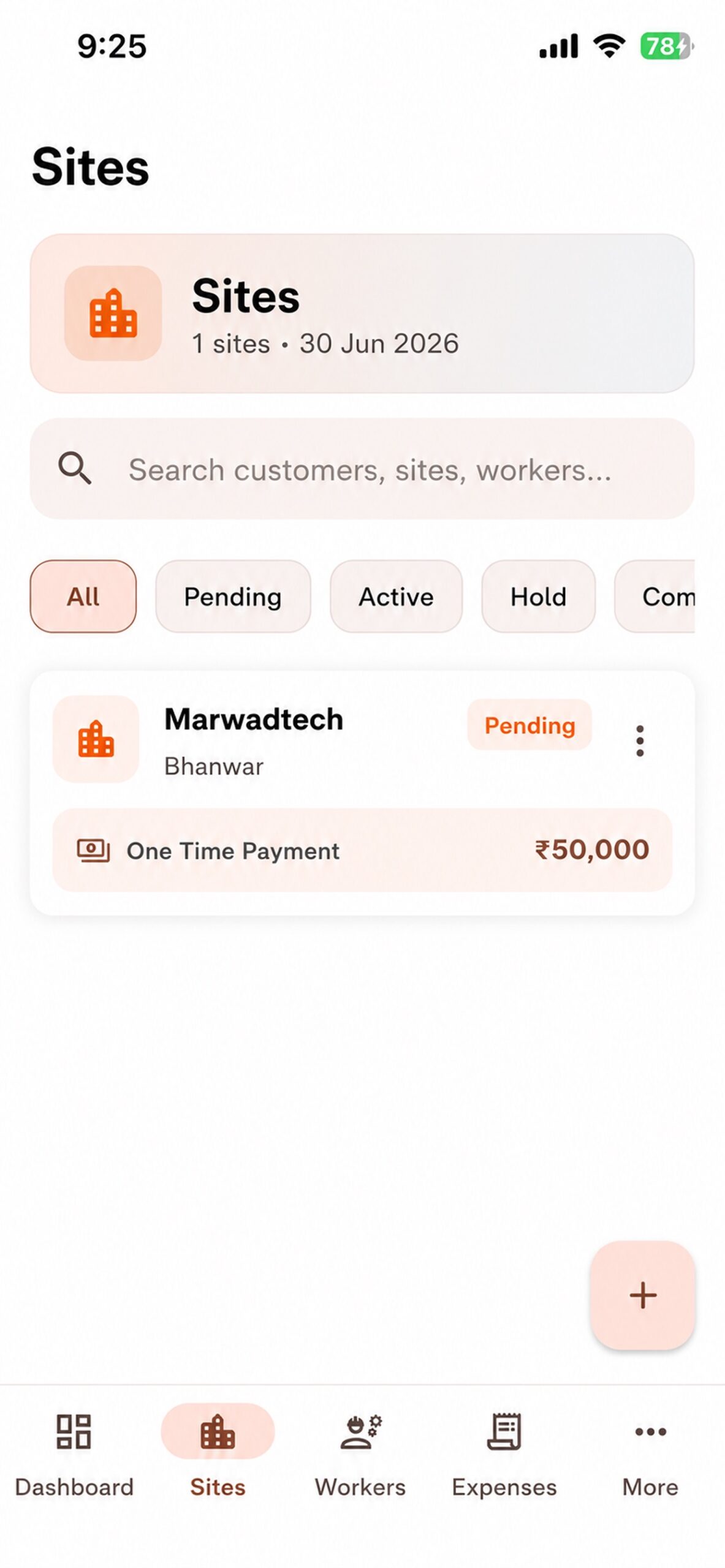
Multiple sites, customer details, status, billing type.
Master list, site rates, hajri, auto labor cost.
Categories, receipts, quantity × rate.
Cash, UPI, bank, cheque, card. Line-item PDFs.
Client statement, full site report, monthly periods.
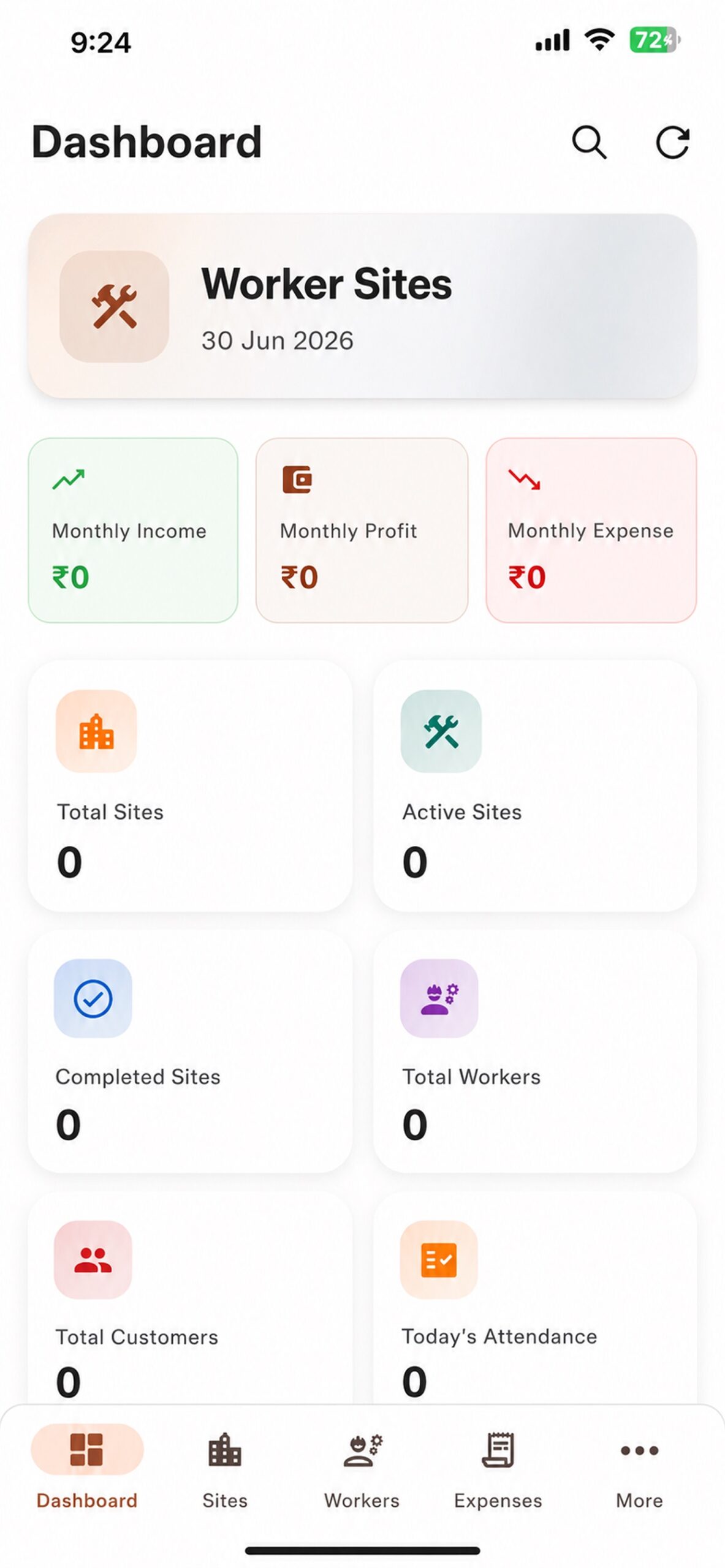
Income, expense, profit, sites, workers, today’s attendance.
Data stays on the device. Work without a network.
Export and import your records.
Switch language in settings.
Face ID / biometric lock for the app.
Create multiple construction sites, link each one to a customer, and track status as Active, On Hold, or Completed. Billing can be one-time, day-wise (hajri), or square-feet.
Keep a master worker list with skill and daily wage. Assign workers to sites with a custom daily rate when a site pays differently.
Mark attendance as Present, Half day, Quarter day, Three-quarter, One & half, Absent, Overtime, or Leave. Labor cost is calculated from attendance and daily wages, and can create a labor expense on the site.
Record site expenses by category with notes and receipts. Manual expenses and material costs stay separate on the site overview.
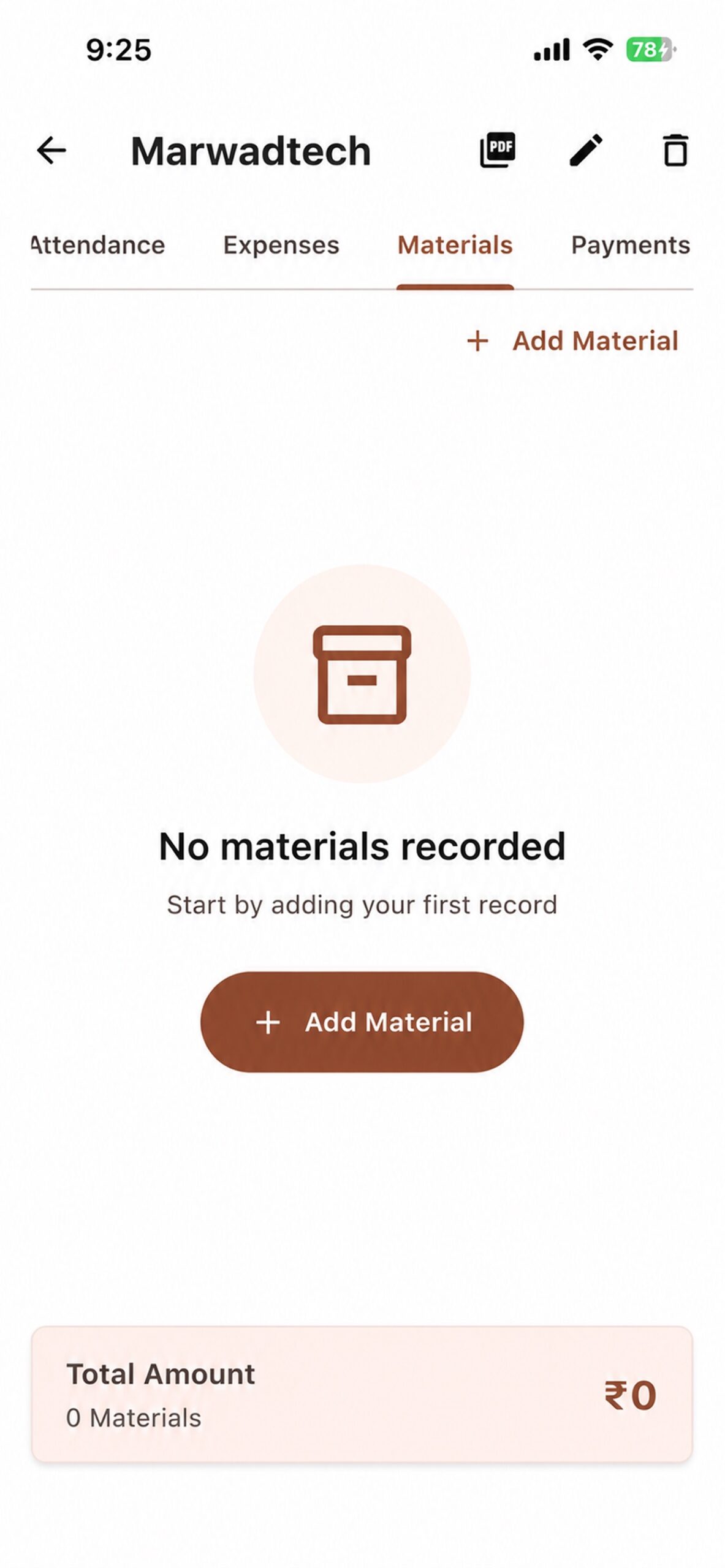
Log materials with quantity, unit, rate, and total cost. Quantity × rate becomes the line total.
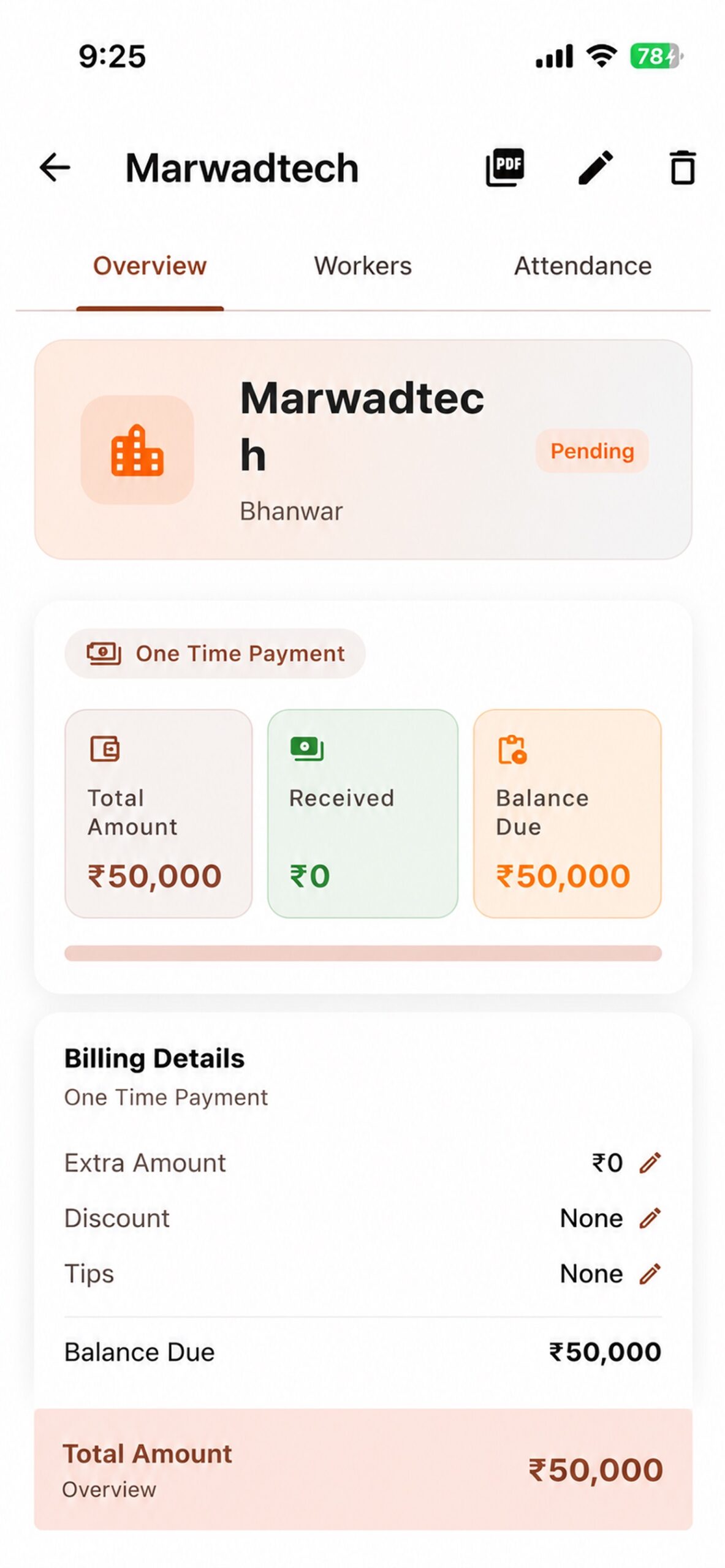
Record payments from clients and track balance due per site. Supported methods: Cash, UPI, Bank Transfer, Cheque, and Card.
Build quotations with line items, then export and share a PDF. GST and discount are available on quotation totals.
Generate a Client Statement or a Full Detail site report, pick a monthly period, and share a PDF. Income, expense, and profit summaries sit on the dashboard and in reports.
Hajri
Mark Present, Half day, Quarter day, Three-quarter, One & half, Absent, Overtime, or Leave. Optional work notes per day. Labor cost is calculated from attendance and daily wages — and can land as a labor expense on the site.
Choose the type and save. The app can mark attendance directly from the worker list without opening a long form.
Wages
Track earned amount, payments, advances, and remaining balance. Site daily rate can differ from the worker’s default wage.
Money on site
Categories in the app: Labor, Material, Equipment, Transport, Utility, Food, Subcontractor, Other. Notes and receipts attach to the record.
Quantity × Rate → Total cost
Material cost stays separate from manual expenses on the site overview.
Clients
Total amount → payments received → balance due. Methods: Cash, UPI, Bank Transfer, Cheque, Card.
Line items with quantity and rate, GST, discount, then PDF export to share with the customer.
Reports
Client Statement and Full Detail site reports, with monthly periods. Share PDFs. Dashboard shows monthly income, expense, and profit — no fabricated figures on this page.
Payments received + income − expenses = site profit
Dashboard
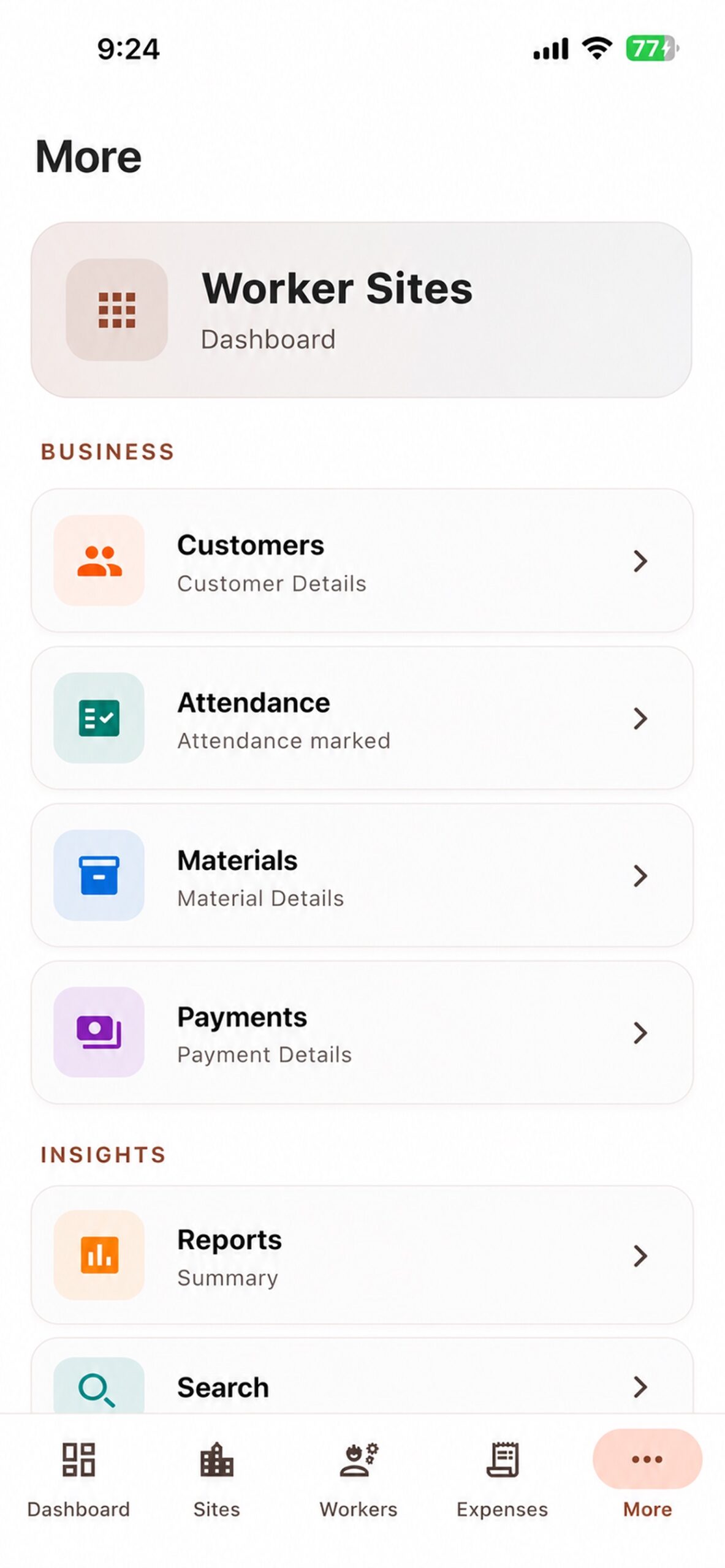
Active and completed sites, workers, customers, monthly income, expenses, profit, today’s attendance, and quick actions to add a site, worker, expense, and more.
Offline-first
Worker Sites is designed to work offline. Data is saved on the device. This page does not claim cloud synchronization.
Backup and restore from a .wsbackup or JSON file. Local export, then import to restore.
English · हिंदी · ગુજરાતી
Face ID / device lock on the phone. No server-side encryption claim is made here.
From hajri to profit
One site. Complete picture.
How it works
Screens
Official application screens from the App Store listing.
Who it is for
Projects, workers, and payments in one app.
Daily attendance, workers, and expenses on site.
Multiple sites and customers.
Project records without a paper stack.
Materials, rates, and site cost together.
Anyone managing workers and site accounts daily.
Available on
Keep sites, workers, and money in one offline-first app instead of notebooks and WhatsApp threads.
Explore features
Run your construction work with Worker Sites.
Choose your platform